
This post will guide you through the skill assesment of the Using Web Proxies module of HTB Academy. For this assesment I will use of OWASP ZAP.
- 1. The /lucky.php page has a button that appears to be disabled. Try to enable the button, and then click it to get the flag.
- 2. The /admin.php page uses a cookie that has been encoded multiple times. Try to decode the cookie until you get a value with 31-characters. Submit the value as the answer.
- 3. Once you decode the cookie, you will notice that it is only 31 characters long, which appears to be an md5 hash missing its last character. So, try to fuzz the last character of the decoded md5 cookie with all alpha-numeric characters, while encoding each request with the encoding methods you identified above. (You may use the “alphanum-case.txt” wordlist from Seclist for the payload)
- 4. You are using the ‘auxiliary/scanner/http/coldfusion_locale_traversal’ tool within Metasploit, but it is not working properly for you. You decide to capture the request sent by Metasploit so you can manually verify it and repeat it. Once you capture the request, what is the ‘XXXXX’ directory being called in ‘/XXXXX/administrator/..’?
1. The /lucky.php page has a button that appears to be disabled. Try to enable the button, and then click it to get the flag.
The question is telling us there is a webpage in the path http://154.57.164.82:31635/lucky.php.
The first thing I do is to interact with the website. I only see a button that is not working, in that cases I normally open the devtools and look for JS listeners or any kind of AJAX request. In that case is more easy, there is a form and the button is disabled.
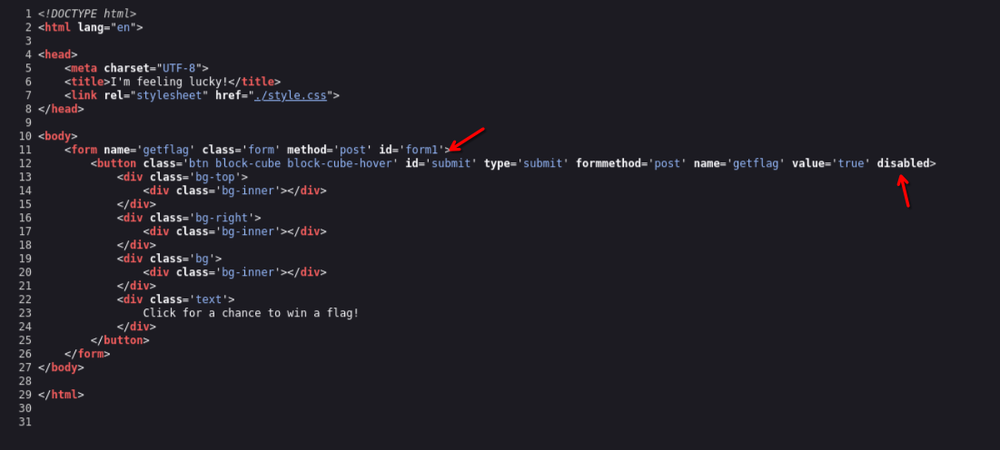
You have to try several times, removing the disabled option and sending the form, I finally did it with ZAP and got the flag after several tries.: 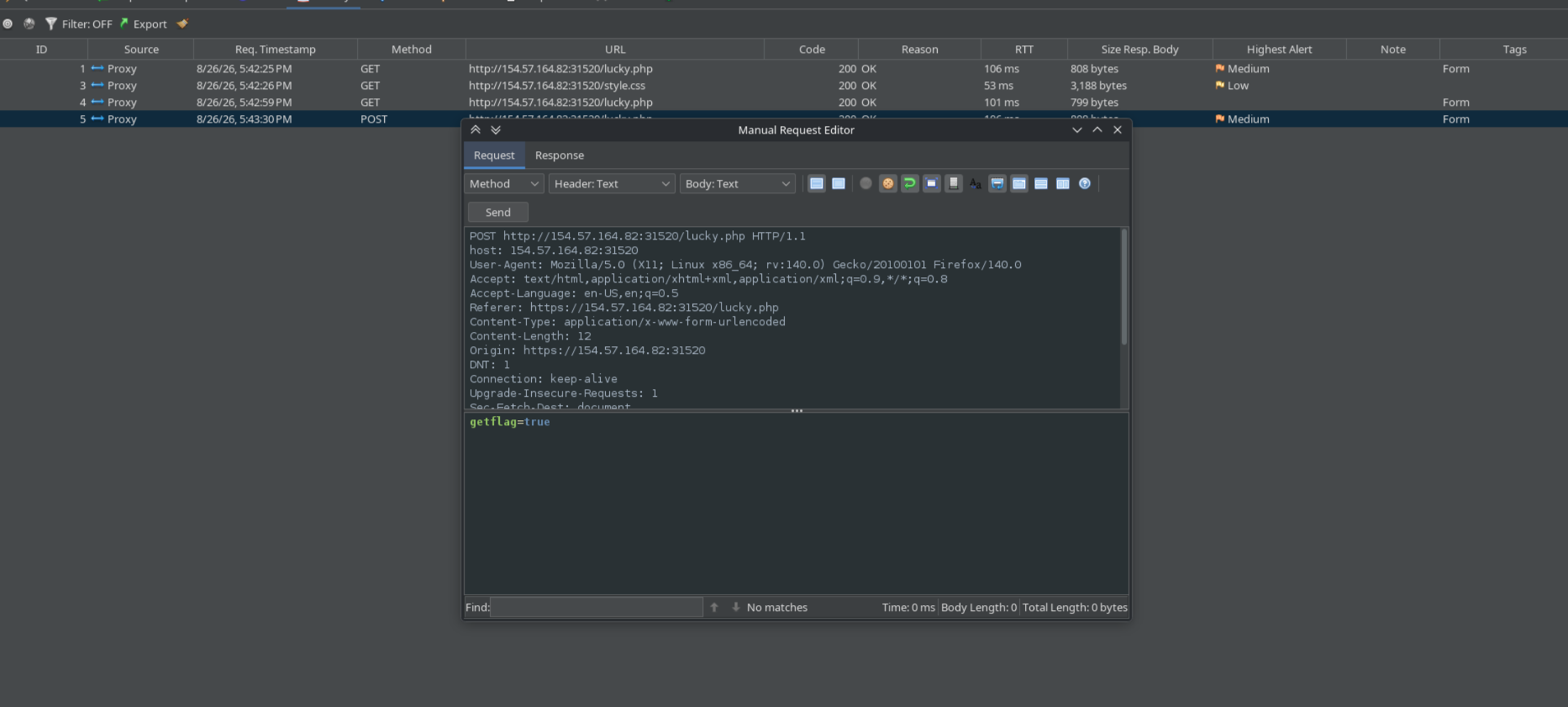
Finally:
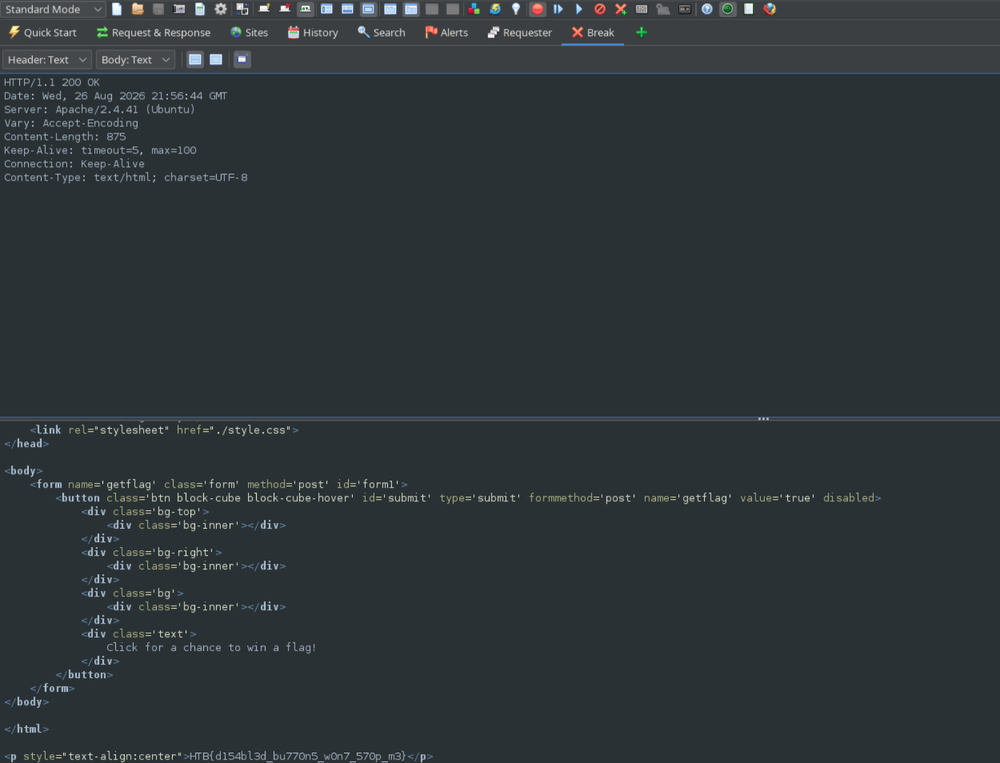
Flag
HTB{d154bl3d_bu770n5_w0n7_570p_m3}
2. The /admin.php page uses a cookie that has been encoded multiple times. Try to decode the cookie until you get a value with 31-characters. Submit the value as the answer.
Activate break requests at ZAP.
Go to
https://154.57.164.82:31635/admin.phpand press login.Copy the cookie in the response.
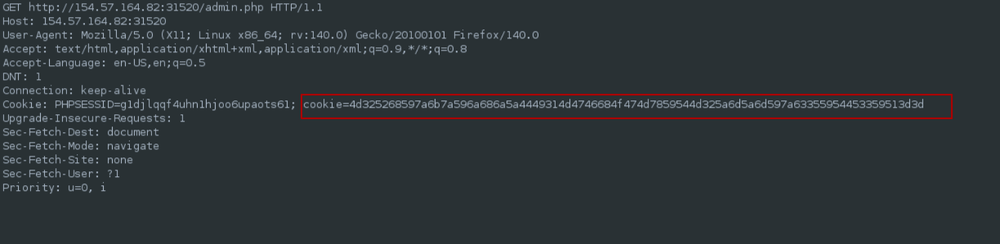
Identify the hash with hashes.com

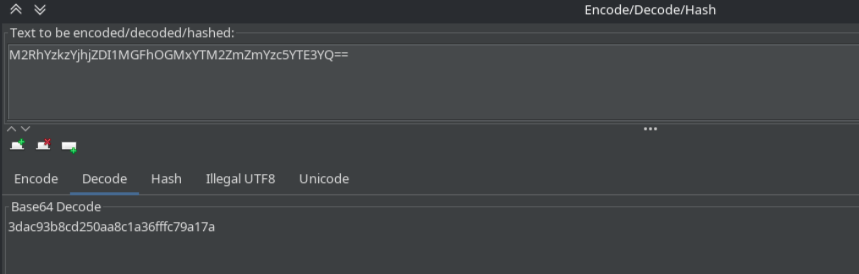
Decode with ASCII Hex and later base64

Flag
3dac93b8cd250aa8c1a36fffc79a17a
3. Once you decode the cookie, you will notice that it is only 31 characters long, which appears to be an md5 hash missing its last character. So, try to fuzz the last character of the decoded md5 cookie with all alpha-numeric characters, while encoding each request with the encoding methods you identified above. (You may use the “alphanum-case.txt” wordlist from Seclist for the payload)
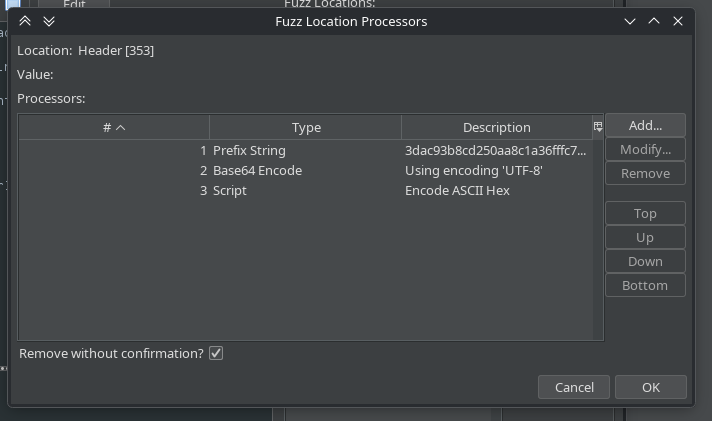
It looks complicated but actually it isn’t. We need to load that payload, add the incompleted md5 hash at the beginning as a fixed string, later encode to base64 and afterwards, to ASCI Hex.
Like OWASP Zap doesn’t have an ASCII Hex enconder for proccessor we need to create a custom script. Follow the screenshots.
// Fuzzer String Processor: ASCII Hex encoder
function process(payload) {
    var s = String(payload);
    var out = "";
    for (var i = 0; i < s.length; i++) {
        out += ("0" + s.charCodeAt(i).toString(16)).slice(-2);
    }
    return out;
}
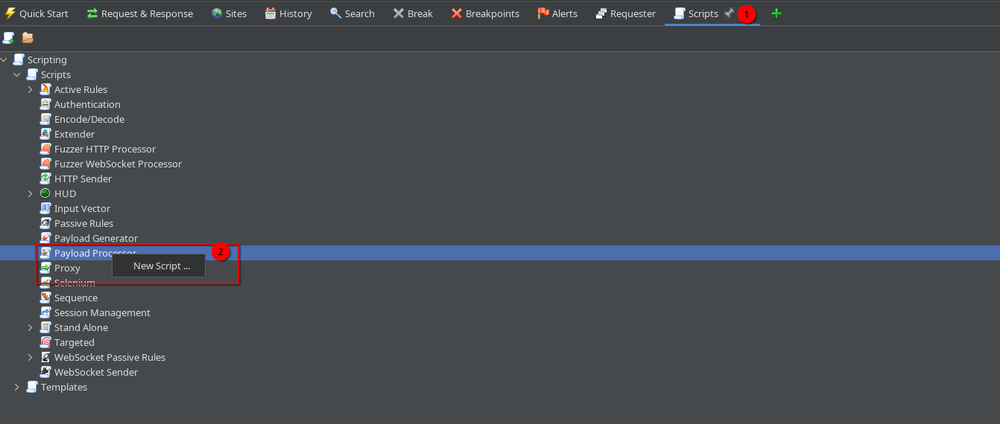
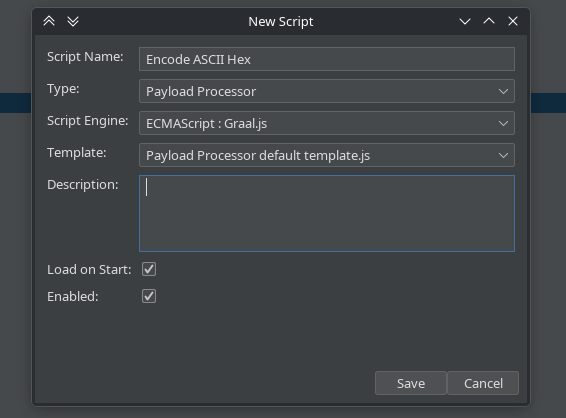
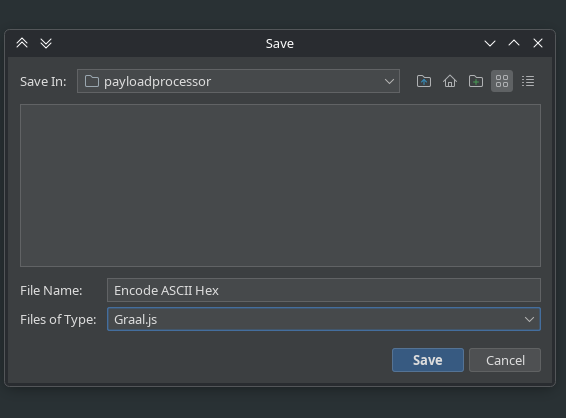
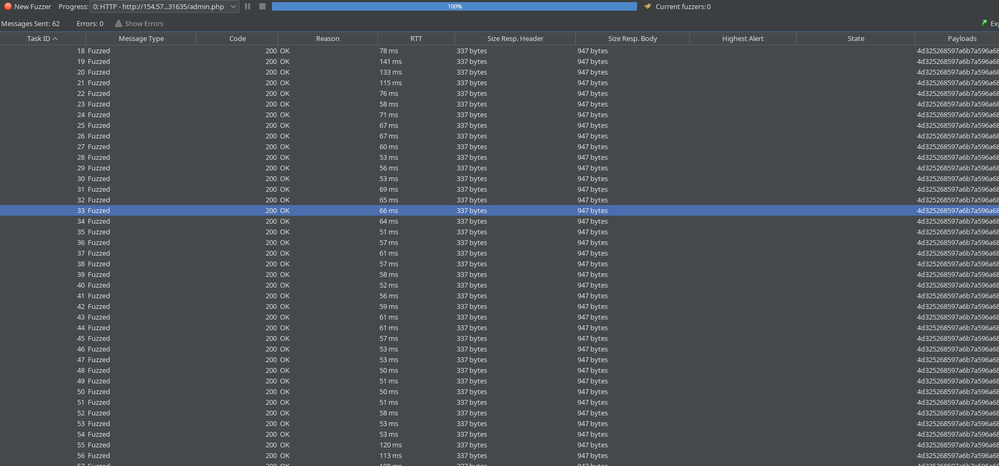
CTRL+Alt+Fand fuzz the last get request.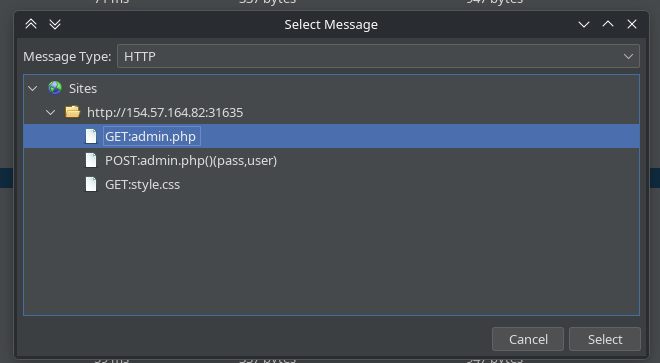
Add a new fuzz in the cookie with the “alphanum-case.txt” payload, in the path
/usr/share/wordlists/seclists/Fuzzing/alphanum-case.txt.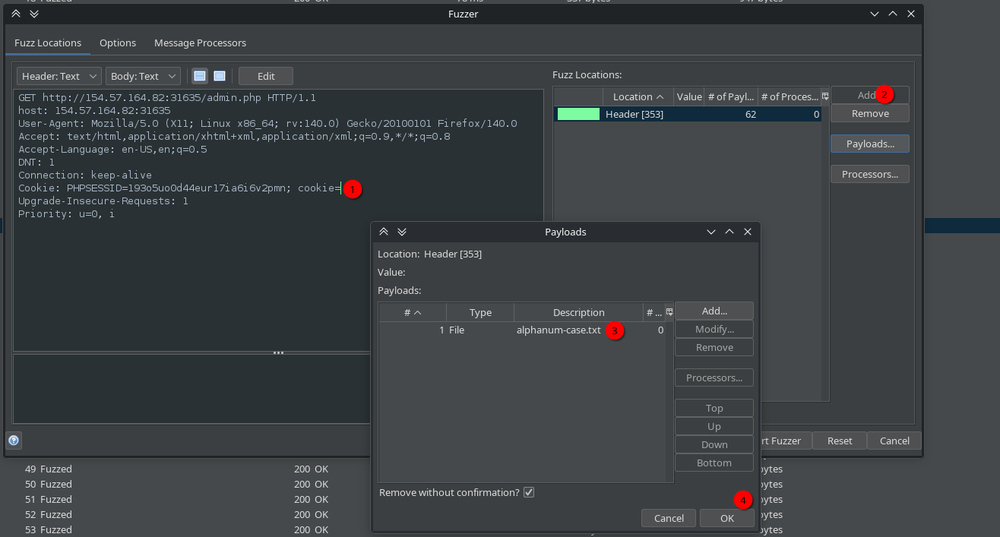
Add a new payload with a fixed string that will be the uncompleted md5 hash.
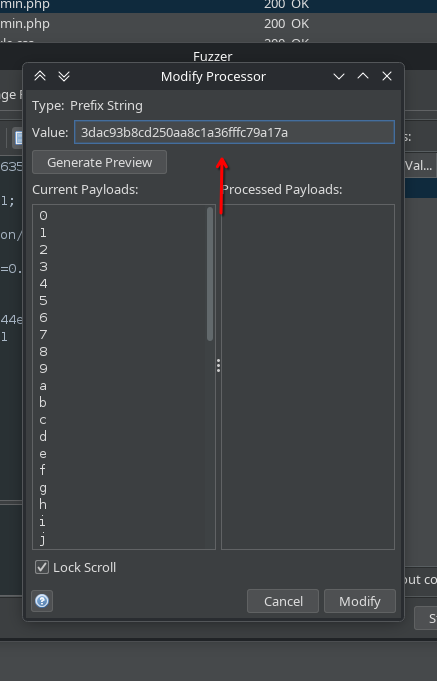
Add base64 encoder.
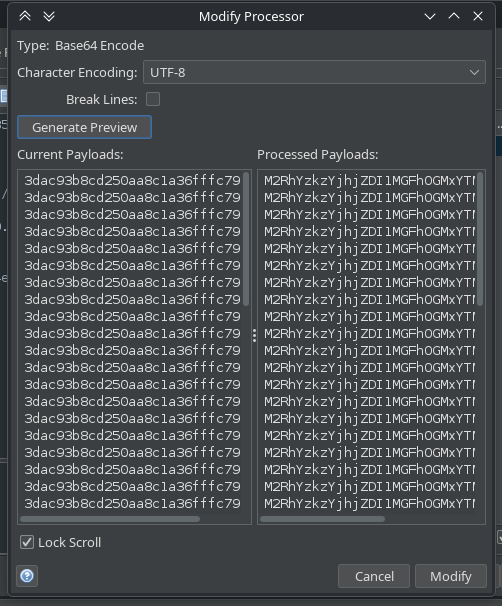
Add ASCII Hex encoder.
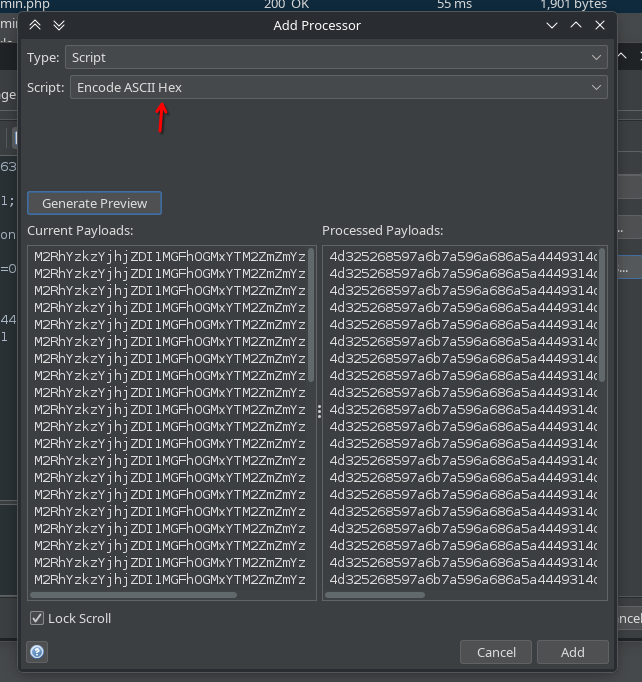
Press OK to all the proccessors and start the fuzz.
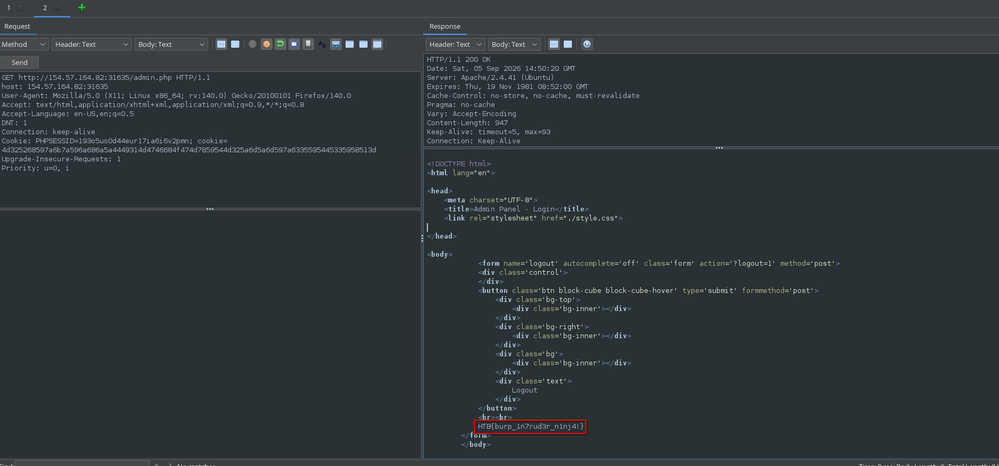
Flag
HTB{burp_1n7rud3r_n1nj4!}
4. You are using the ‘auxiliary/scanner/http/coldfusion_locale_traversal’ tool within Metasploit, but it is not working properly for you. You decide to capture the request sent by Metasploit so you can manually verify it and repeat it. Once you capture the request, what is the ‘XXXXX’ directory being called in ‘/XXXXX/administrator/..’?
msfconsole

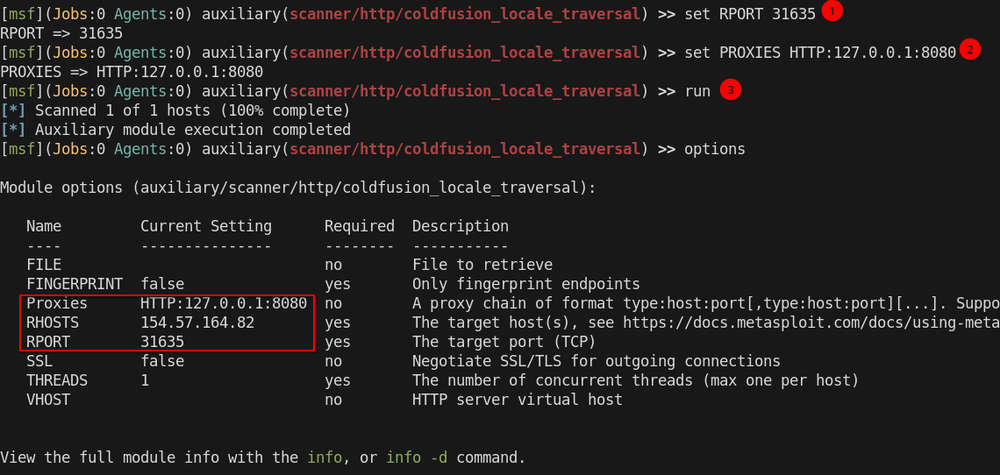
use auxiliary/scanner/http/coldfusion_locale_traversal
options
set RHOST 154.57.164.82
set RPORT 31635
set PROXIES HTTP:127.0.0.1:8080
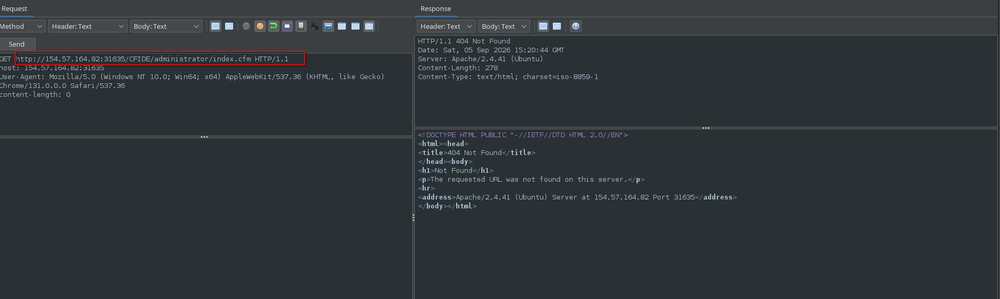
Flag
CFIDE